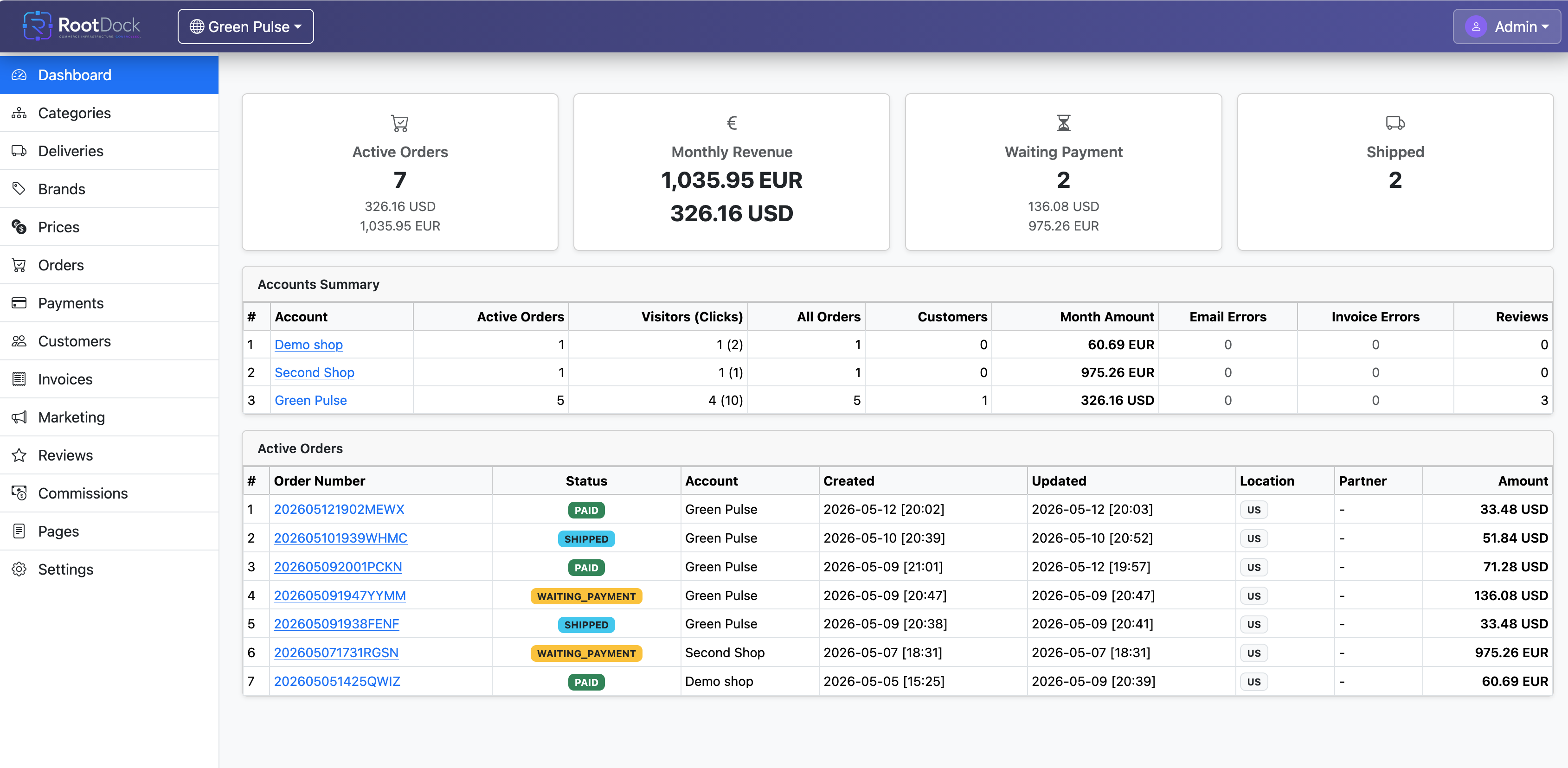
 📊 Dashboard
Multi-Tenant Architecture Overview Dashboard
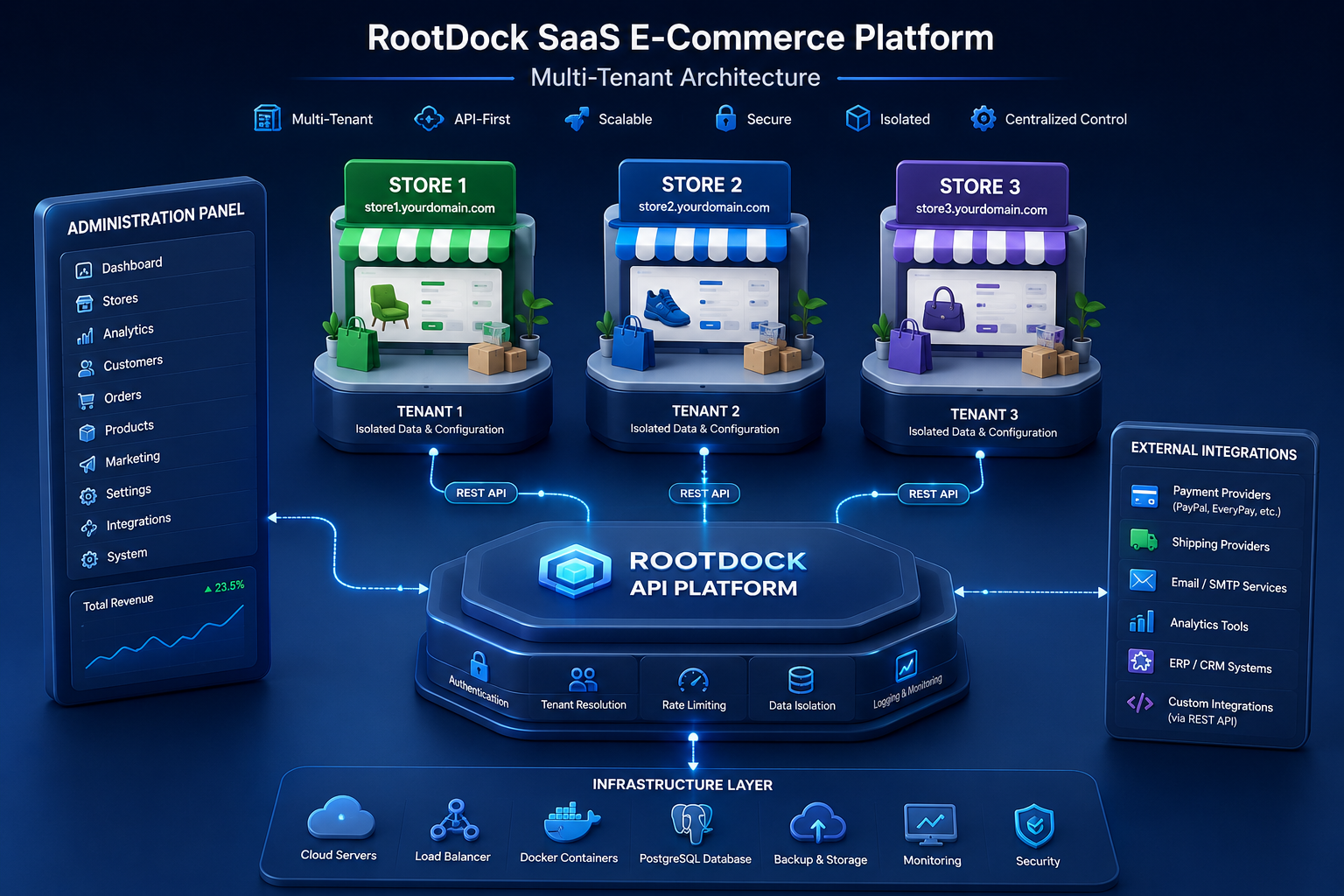
The Multi-Tenant Architecture Overview Dashboard explains how RootDock manages multiple independent e-commerce stores from one centralized administration environment.
Shop Frontend Example

Detailed description
RootDock is built on a scalable multi-tenant architecture. A single administration panel can manage an unlimited number of independent e-commerce stores from one centralized environment.
Each store operates as an isolated tenant. Every tenant may have its own:
- Products
- Categories
- Customers
- Orders
- Configurations
- Themes
- Integrations
- Business logic
- Storefront behavior
- Data separation rules
Even though stores are isolated, they remain fully controlled through one unified administration system.
Business value
This architecture allows businesses, agencies, enterprises, and marketplace operators to manage multiple commerce environments without maintaining separate backend infrastructures for each store.
Administration panel role
The administration panel acts as a centralized operational hub.
Administrators can
- Manage multiple online stores simultaneously
- Monitor tenant activity in real time
- Configure tenant-specific settings
- Control permissions and access levels
- Maintain centralized analytics and reporting
- Scale infrastructure independently
- Connect external systems through REST APIs
- Deploy isolated commerce environments under one platform
Architecture explanation
Multiple independent e-commerce stores connect to the RootDock API platform. Each store communicates with the centralized backend infrastructure through REST API integrations while maintaining independent storefront operations and data separation.
API-first benefits
- Supports custom frontends
- Supports mobile applications
- Supports third-party integrations
- Supports distributed commerce ecosystems
- Allows flexible storefront implementation
- Reduces frontend dependency
- Enables headless commerce architectures
REST API
Relevant API groups: Dashboard
Authentication: All requests require Bearer Token via JWT Token in the Authorization header.