 🚀 First API Call
How to Start Using the RootDock SaaS Platform
This guide shows how to generate your Bearer Token and make your first authorized API call in RootDock using cURL or Postman.
1. Get API Access
To start using the RootDock API, you first need to obtain an API access token (Bearer Token). If you do not yet have your own environment, you can use the demo environment for your first login:
RootDock Demo Admin Panel: https://www.rootdock.com/demo.php
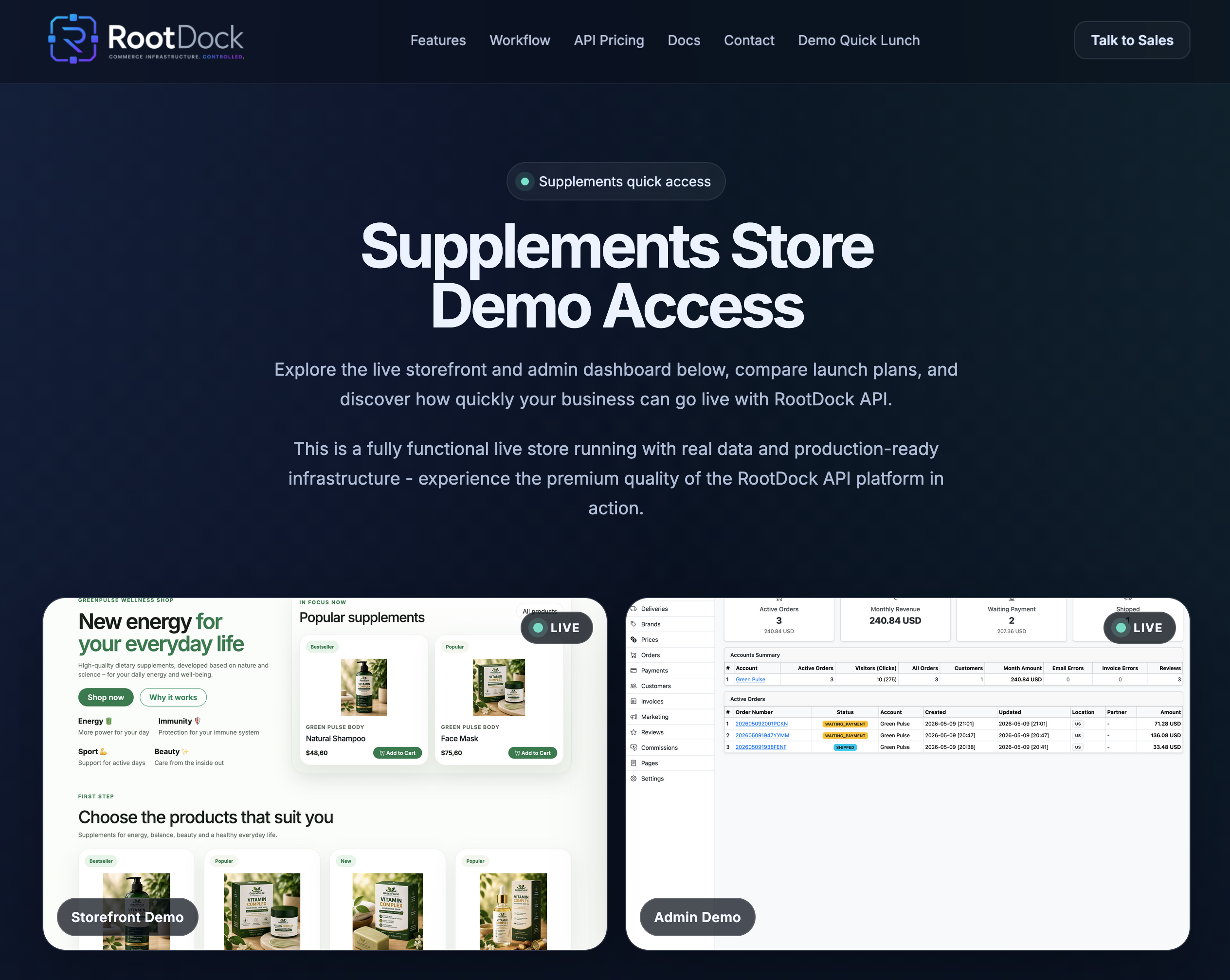
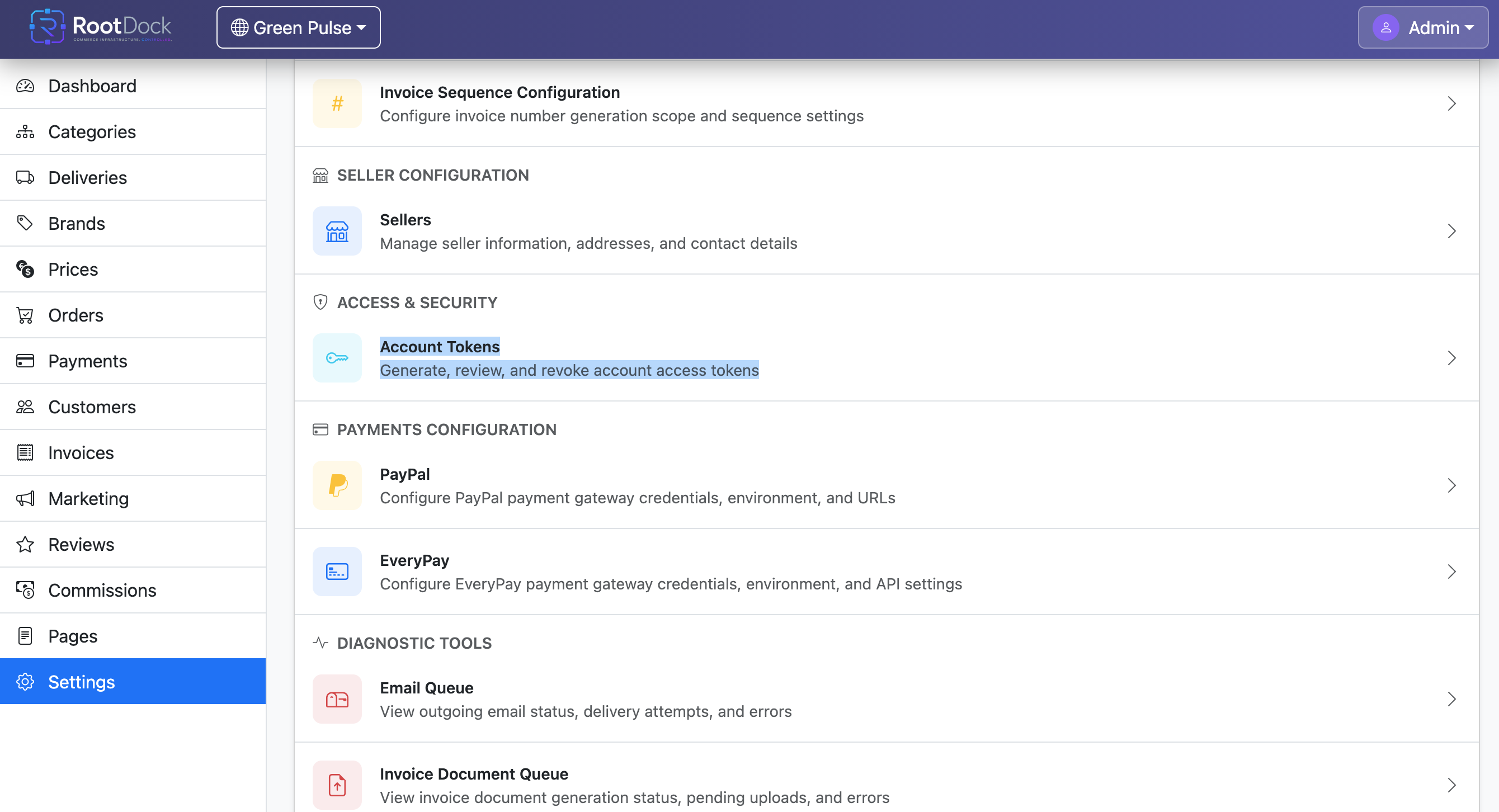
Log in and navigate to:
RootDock Admin Panel → Settings → Account Tokens
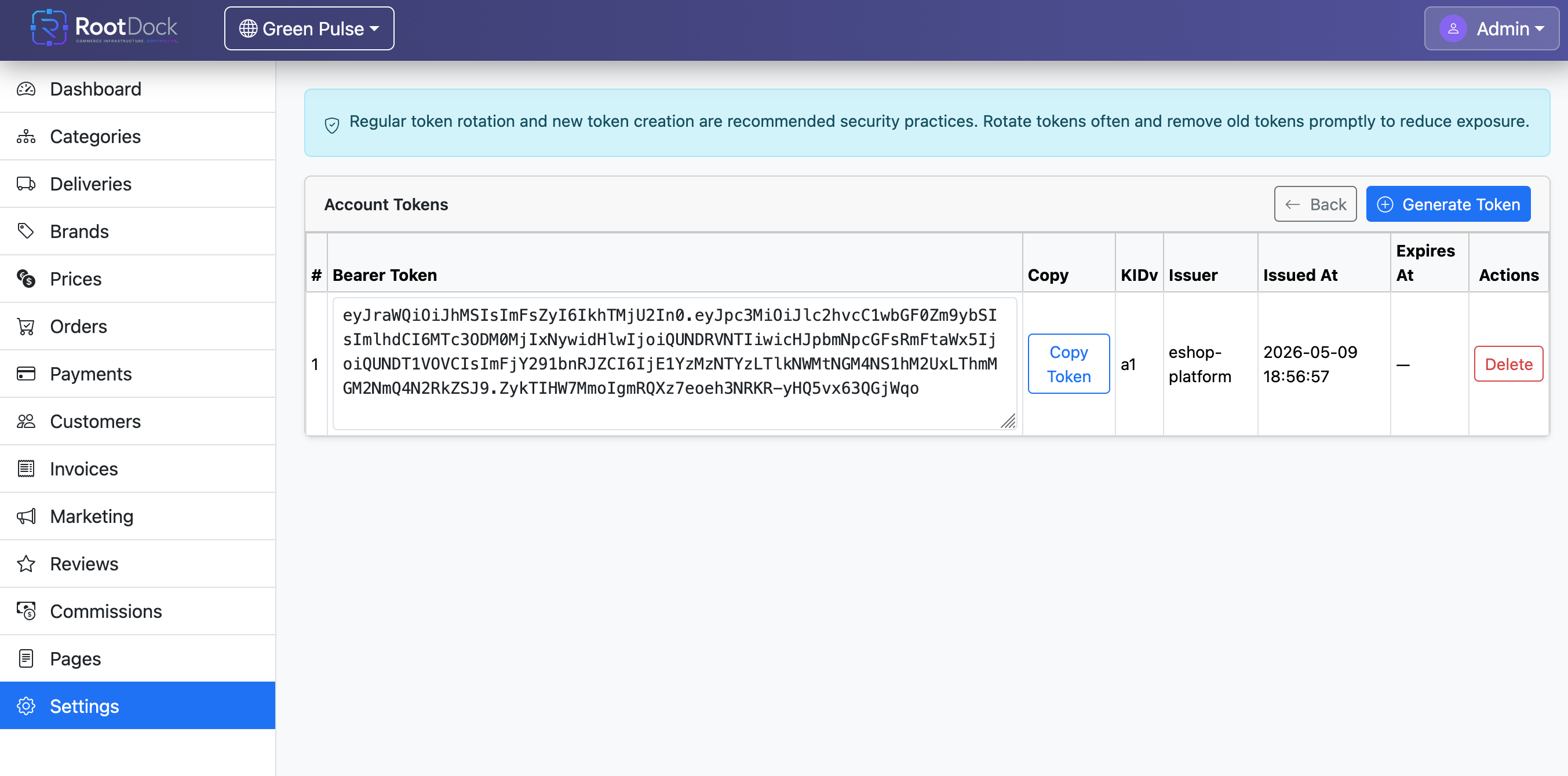
Copy your:
- Bearer Token
This token is required to authorize all API requests.
First API Request
API Authorization
All requests must include:
Authorization: Bearer YOUR_BEARER_TOKEN
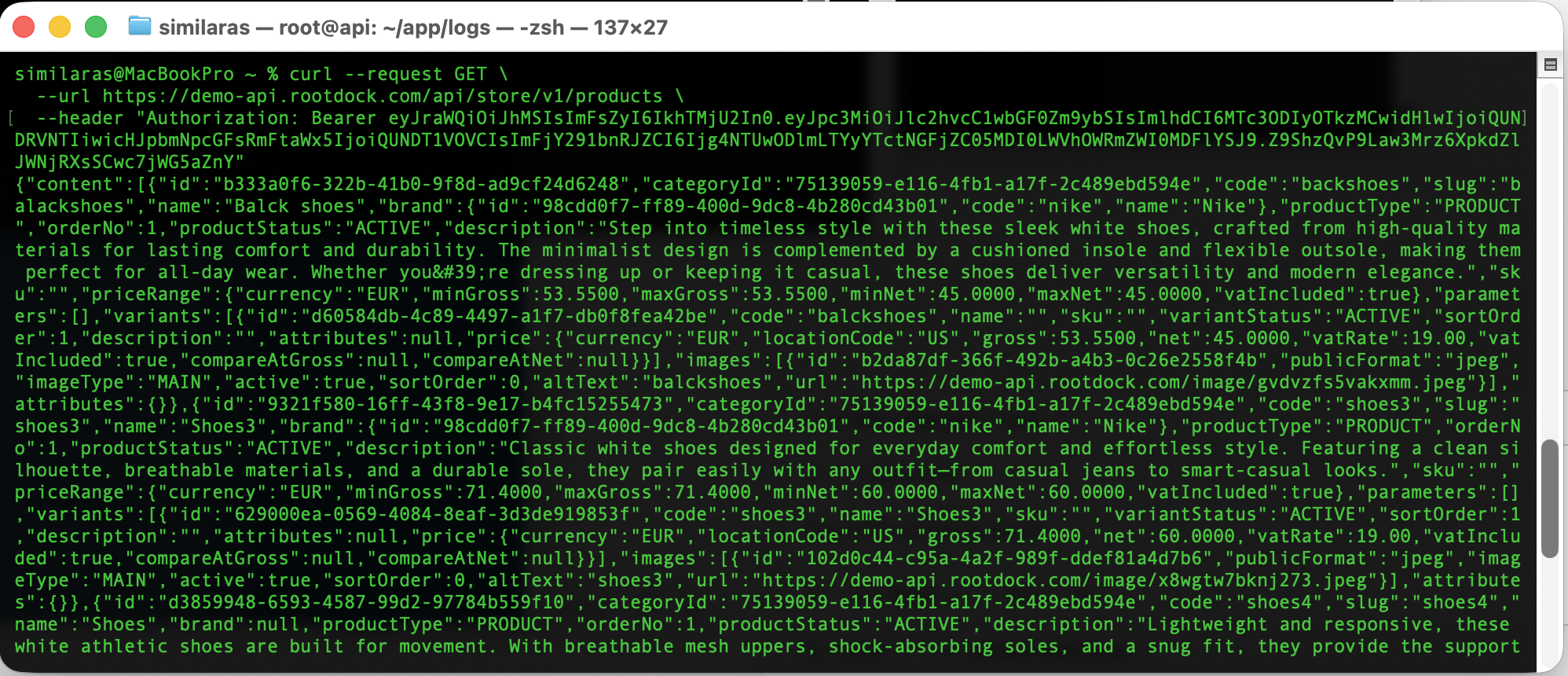
Example Using cURL
curl --request GET \
  --url https://demo-api.rootdock.com/api/store/v1/products \
  --header "Authorization: Bearer YOUR_BEARER_TOKEN"
Replace YOUR_BEARER_TOKEN with your copied token.
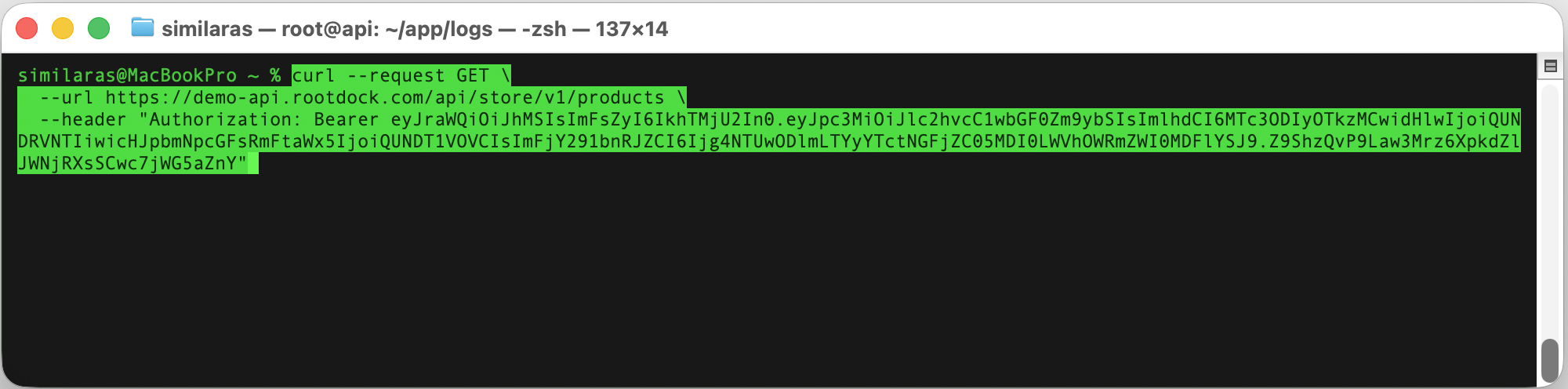
On success you will get response.
Example Using Postman
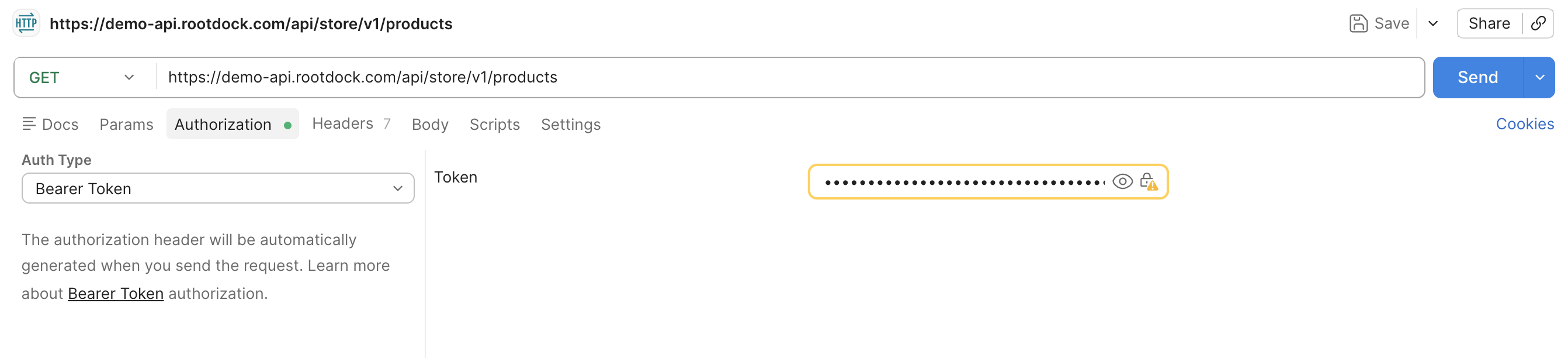
- Create a New Request. Open Postman and choose New Request.
- Select HTTP Method. Example: GET.
- Enter API URL: https://demo-api.rootdock.com/api/store/v1/products

- Add Authorization. In the Authorization section select Bearer Token and paste your token.
- Click Send. If everything is configured correctly, you will receive a JSON response from the API.
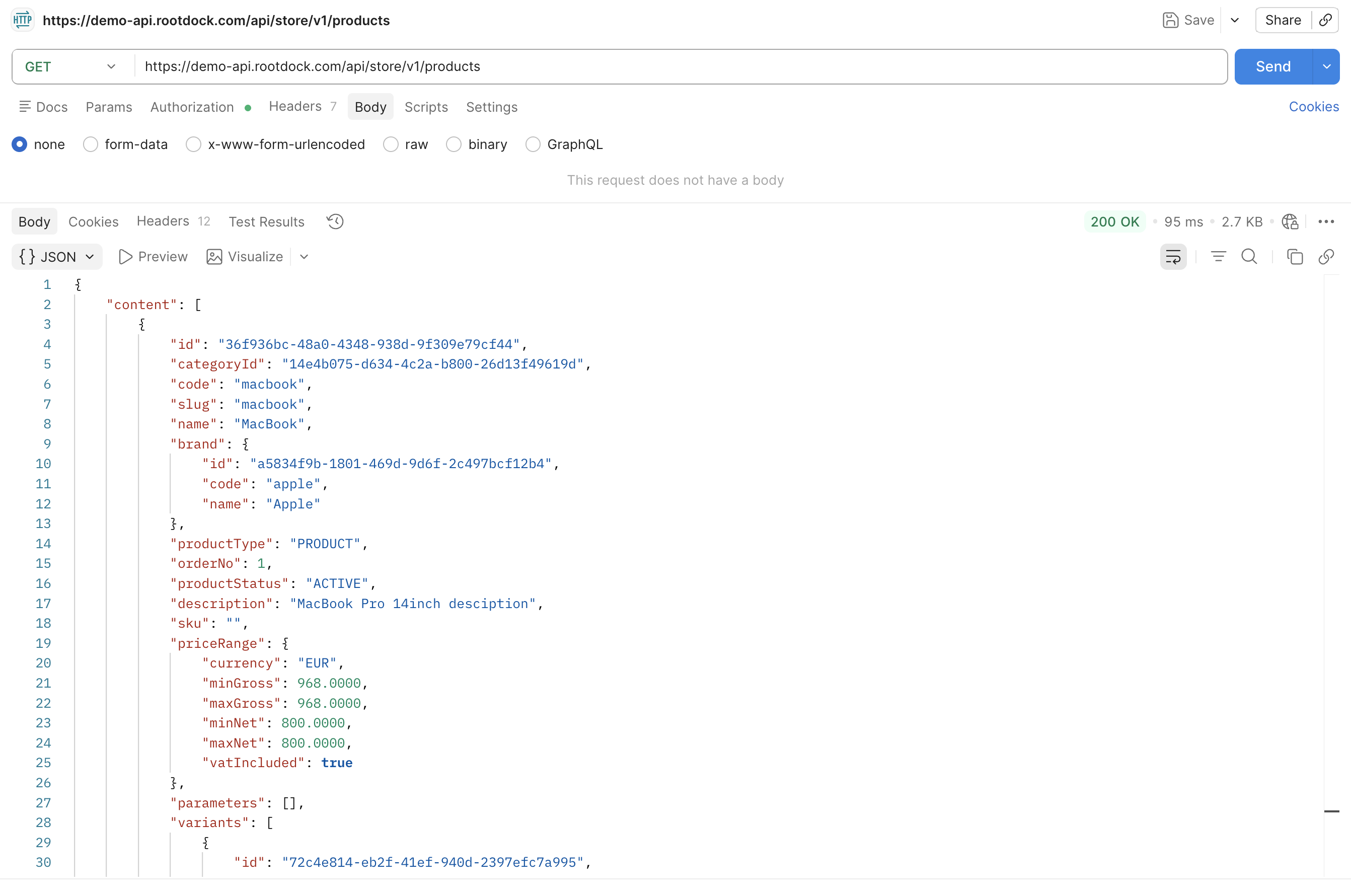
Example JSON Response
{
    "content": [
        {
            "id": "36f936bc-48a0-4348-938d-9f309e79cf44",
            "categoryId": "14e4b075-d634-4c2a-b800-26d13f49619d",
            "code": "macbook",
            "slug": "macbook",
            "name": "MacBook",
            "brand": {
                "id": "a5834f9b-1801-469d-9d6f-2c497bcf12b4",
                "code": "apple",
                "name": "Apple"
            },
            "productType": "PRODUCT",
            "orderNo": 1,
            "productStatus": "ACTIVE",
            "description": "MacBook Pro 14inch desciption",
            "sku": "",
            "priceRange": {
                "currency": "EUR",
                "minGross": 968.0000,
                "maxGross": 968.0000,
                "minNet": 800.0000,
                "maxNet": 800.0000,
                "vatIncluded": true
            },
            "parameters": [],
            "variants": [
                {
                    "id": "72c4e814-eb2f-41ef-940d-2397efc7a995",
                    "code": "14inchmacbook",
                    "name": "MacBook",
                    "sku": "",
                    "variantStatus": "ACTIVE",
                    "sortOrder": 1,
                    "description": "",
                    "attributes": null,
                    "price": {
                        "currency": "EUR",
                        "locationCode": "US",
                        "gross": 968.0000,
                        "net": 800.0000,
                        "vatRate": 21.00,
                        "vatIncluded": true,
                        "compareAtGross": null,
                        "compareAtNet": null
                    }
                }
            ],
            "images": [
                {
                    "id": "626632da-6d9b-4d63-8be6-e945d4eac0e1",
                    "publicFormat": "png",
                    "imageType": "MAIN",
                    "active": true,
                    "sortOrder": 0,
                    "altText": "MacBook",
                    "url": "https://demo-api.rootdock.com/image/fgwx5t944xxi3p.png"
                },
                {
                    "id": "db7535a9-43bc-48ce-a832-f0acf21973c4",
                    "publicFormat": "png",
                    "imageType": "GALLERY",
                    "active": true,
                    "sortOrder": 0,
                    "altText": "comp2",
                    "url": "https://demo-api.rootdock.com/image/gq8ac235869yrp.png"
                }
            ],
            "attributes": {}
        },
        {
            "id": "e9dd11b0-b2d1-435f-8418-226123180a38",
            "categoryId": "14e4b075-d634-4c2a-b800-26d13f49619d",
            "code": "wach",
            "slug": "apple-wach",
            "name": "Apple Wach",
            "brand": {
                "id": "a5834f9b-1801-469d-9d6f-2c497bcf12b4",
                "code": "apple",
                "name": "Apple"
            },
            "productType": "PRODUCT",
            "orderNo": 1,
            "productStatus": "ACTIVE",
            "description": "Apple wach",
            "sku": "",
            "priceRange": {
                "currency": "EUR",
                "minGross": 605.0000,
                "maxGross": 605.0000,
                "minNet": 500.0000,
                "maxNet": 500.0000,
                "vatIncluded": true
            },
            "parameters": [],
            "variants": [
                {
                    "id": "544ca685-c772-4f76-880f-31c878613e0b",
                    "code": "wach",
                    "name": "Apple wach",
                    "sku": "",
                    "variantStatus": "ACTIVE",
                    "sortOrder": 1,
                    "description": "",
                    "attributes": null,
                    "price": {
                        "currency": "EUR",
                        "locationCode": "US",
                        "gross": 605.0000,
                        "net": 500.0000,
                        "vatRate": 21.00,
                        "vatIncluded": true,
                        "compareAtGross": null,
                        "compareAtNet": null
                    }
                }
            ],
            "images": [
                {
                    "id": "f3d6b9dc-b37d-4b9a-9658-7d842e117065",
                    "publicFormat": "png",
                    "imageType": "MAIN",
                    "active": true,
                    "sortOrder": 0,
                    "altText": "Wach",
                    "url": "https://demo-api.rootdock.com/image/c6jjpwgdf9okvi.png"
                }
            ],
            "attributes": {}
        }
    ],
    "pageIndex": 0,
    "pageSize": 20,
    "totalElements": 2,
    "totalPages": 1,
    "first": true,
    "last": true
}
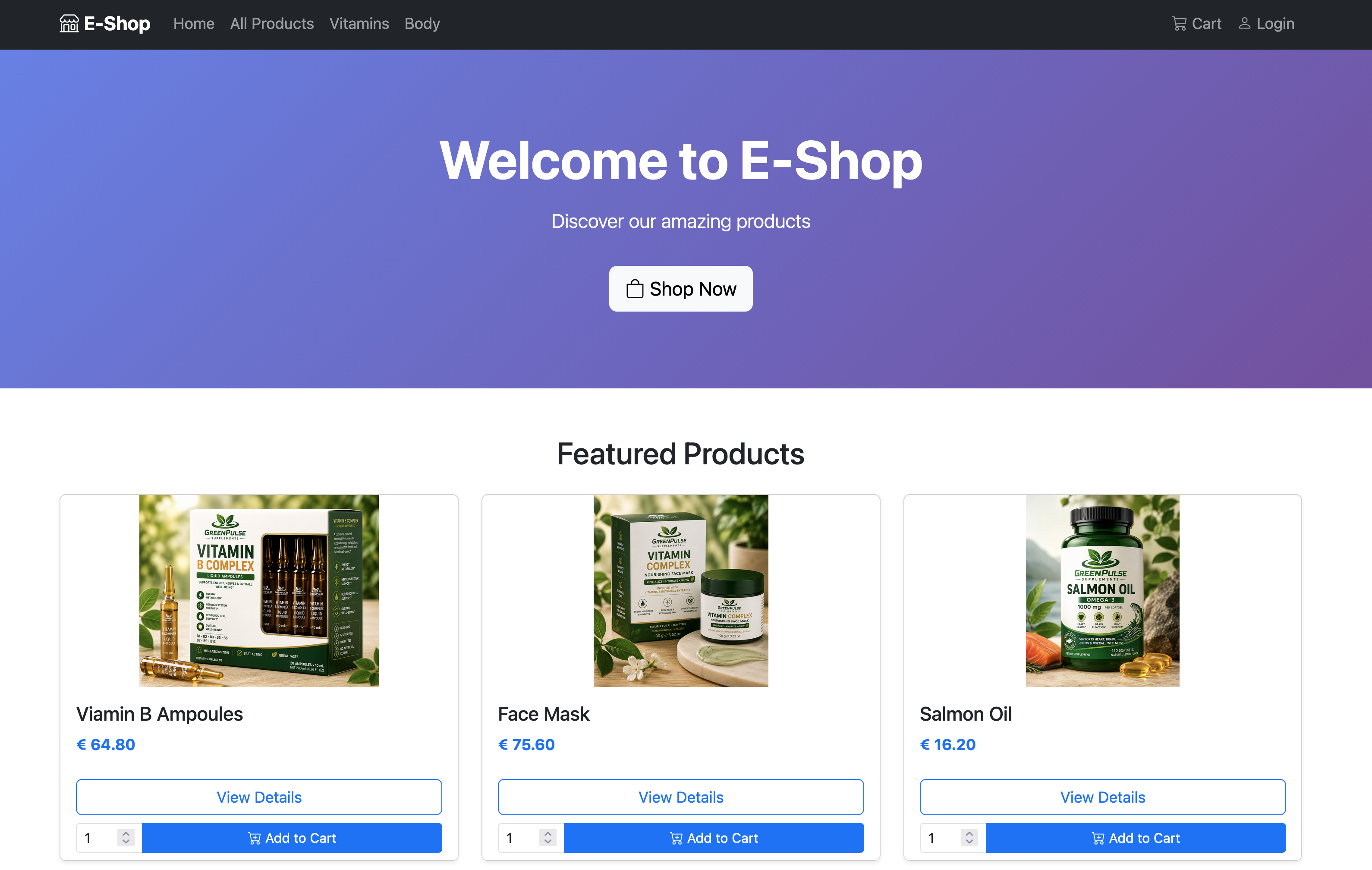
Storefront Demo (PHP + Twig)
Storefront demo PHP + Twig implementation example using the API: https://github.com/similaras/rootdockdemo
Next Steps
After your first API request you can:
- retrieve products
- create orders
- manage customers
- administrate tenant data
- integrate your own frontend
- use webhooks and automations