 📄 Pages
Pages Management
The Pages Management module enables administrators to create and manage custom HTML-based pages, legal pages, landing pages, campaign pages, SEO metadata, and REST API content delivery.
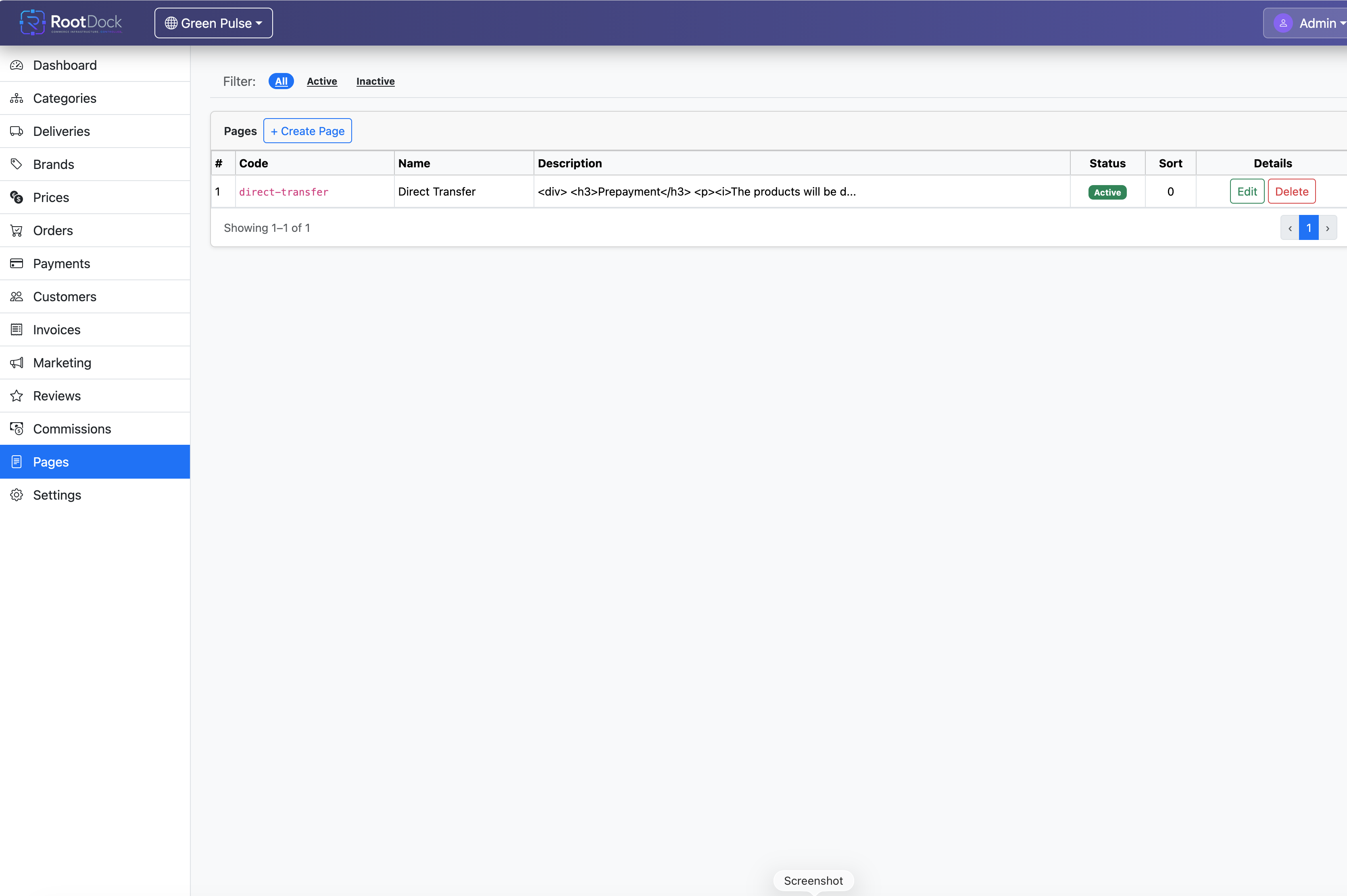
Detailed description
The Pages Management module provides a flexible content management environment for custom page creation.
Administrators can create and manage HTML-based content directly from the administration panel without frontend development changes.
The module supports
- Standalone informational pages
- Marketing pages
- Legal documents
- Landing pages
- Campaign pages
- Custom storefront content
- Help pages
- FAQ pages
- Promotional content
All page content is managed centrally through RootDock and exposed through REST APIs.
Key capabilities
- Custom page creation
- HTML-based content management
- Dynamic REST API content delivery
- Centralized page administration
- Multi-tenant page infrastructure
- Custom URL configuration
- Slug configuration
- SEO metadata management
- Landing page support
- Legal page management
- Informational page management
- Frontend integration support
- No-code content administration
Pages created in the administration panel can be retrieved through REST APIs and rendered inside
- Connected storefronts
- Mobile applications
- Custom frontend environments
- Headless commerce frontends
How it works
- Administrator creates or edits HTML page content in RootDock.
- Page metadata and slug are configured.
- RootDock stores page content centrally.
- Frontend applications request page data through REST APIs.
- Frontend renders the page dynamically.
Use cases
- About Us pages
- Privacy policies
- Terms and conditions
- Marketing landing pages
- Campaign pages
- Help pages
- FAQ pages
- Custom promotional content
- Informational storefront sections
Benefits
- Centralized content management
- Faster content updates
- Reduced frontend dependency
- Flexible frontend integrations
- Scalable content infrastructure
- No-code page administration
REST API
Relevant API groups: Pages
Authentication: All requests require Bearer Token via JWT Token in the Authorization header.