 🧾 Invoices
Invoice Management
The Invoice Management module automates invoice and proforma invoice generation, PDF creation, invoice templates, tenant-specific invoice configuration, and sequential invoice numbering.
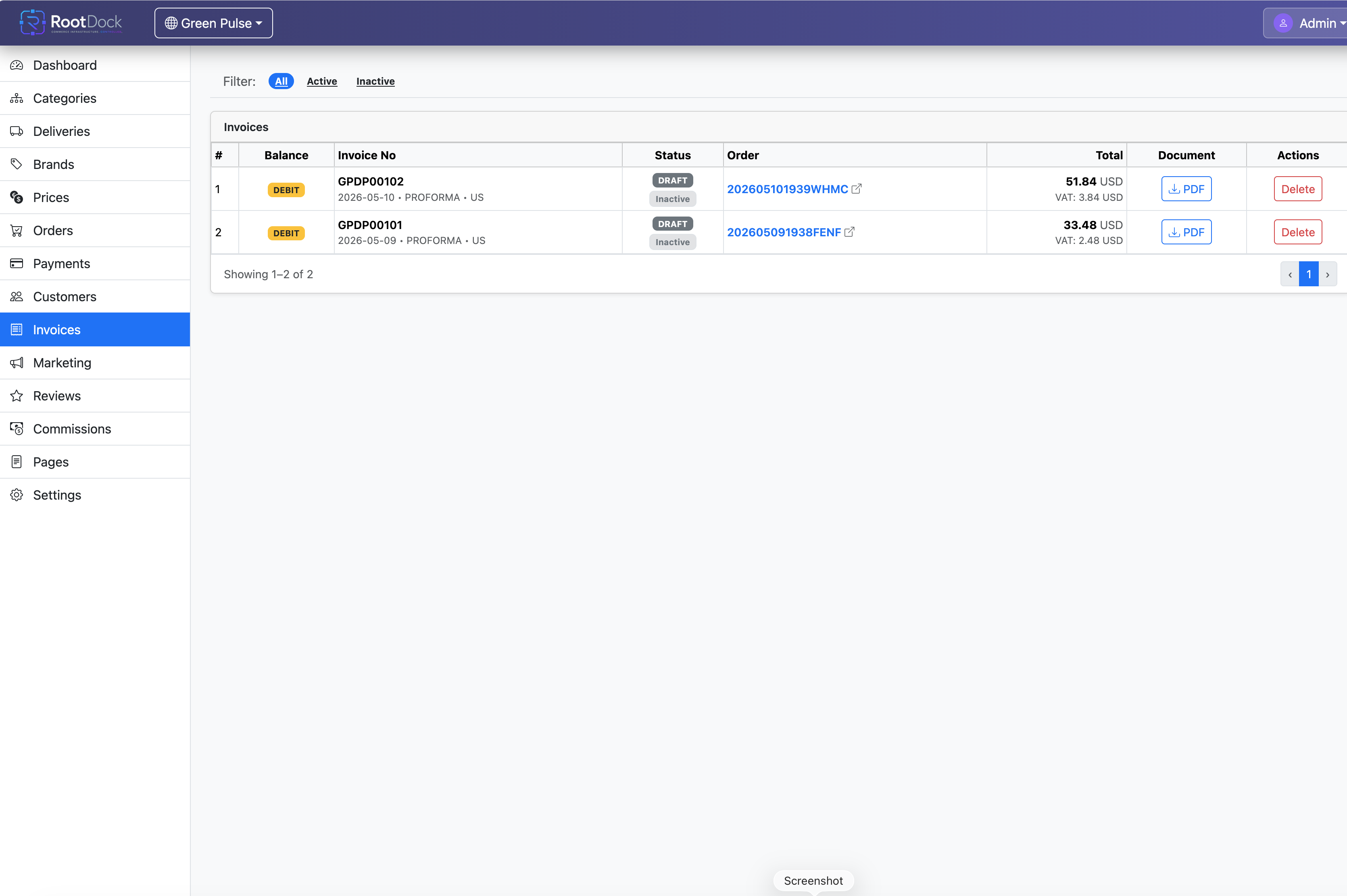
Shop Frontend Example
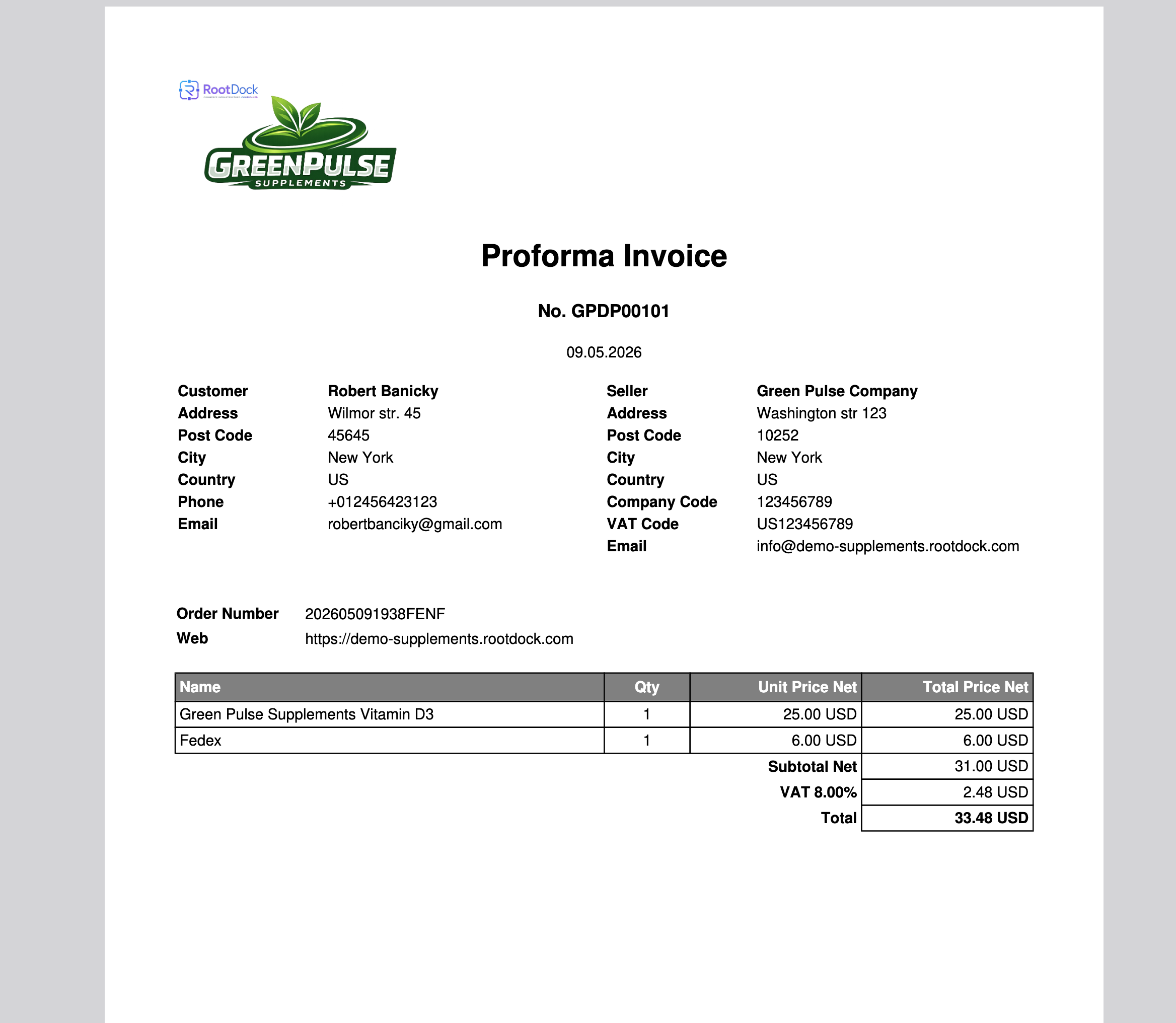
Detailed description
The Invoice Management module provides an automated environment for generating invoices and proforma invoices across the RootDock platform.
Administrators can configure invoice templates directly from the administration panel without development changes.
Invoice templates can include
- Layout
- Company information
- Legal details
- Tax information
- Branding
- Logos
- Document structure
- Tenant-specific formatting
RootDock automatically generates PDF invoice documents and assigns unique sequential invoice numbers using an integrated sequence generation system.
Key capabilities
- Automated invoice generation
- Proforma invoice support
- PDF invoice creation
- Configurable invoice templates
- No-code template management
- Unique sequential invoice numbering
- Tenant-specific invoice configurations
- Automatic order-to-invoice synchronization
- Invoice status management
- REST API integration
- Multi-tenant invoice infrastructure
Automated document generation
When orders are processed, RootDock can automatically generate:
- Invoices
- Proforma invoices
- Payment-related documents
- Order financial documentation
Generated documents are exported as PDF files and stored within the platform.
Administrators can
- Customize invoice design
- Configure company information
- Add branding and logos
- Define legal and tax information
- Adjust invoice layouts
- Configure tenant-specific invoice formatting
Sequential invoice numbering
RootDock includes an integrated sequence generator that automatically creates unique invoice numbers for every generated document.
This ensures
- Consistent invoice tracking
- Unique document identification
- Organized financial workflows
- Scalable invoice management
How it works
- Order or payment event occurs.
- RootDock checks invoice generation rules.
- Required invoice document is generated.
- Configured template settings are applied.
- PDF file is created.
- Unique invoice number is assigned.
- Document is stored and made available for operations or customer communication.
Benefits
- Automated financial workflows
- Reduced administrative overhead
- Centralized document management
- Consistent invoice formatting
- Scalable accounting operations
- Multi-tenant document infrastructure
REST API
Relevant API groups: Invoices, Invoice
Authentication: All requests require Bearer Token via JWT Token in the Authorization header.